Two Pages on iPhone
Two live pages at once, stacked or side by side, with a divider you can drag. Save a layout and reopen it with one tap.
Keep the sites you care about on screen at once: a tidy grid on iPad, two live pages on iPhone.
Price: Free, Syrup $4.99 one-time
Waffle is free to use. On iPad, Syrup unlocks larger grids, rearranging, pop-out windows, fullscreen, and presets; on iPhone, unlimited saved layouts. One $4.99 purchase covers both.
Open source: view the code on GitHub
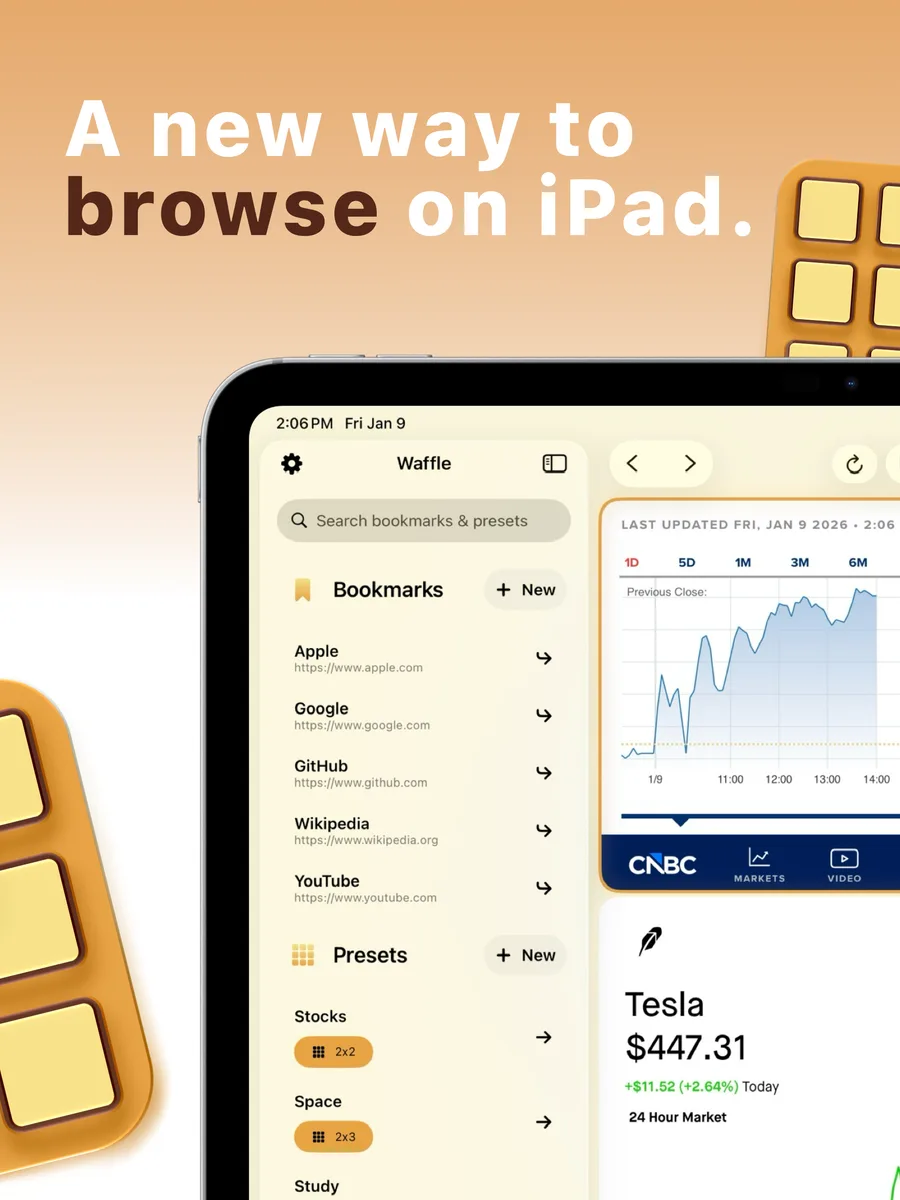
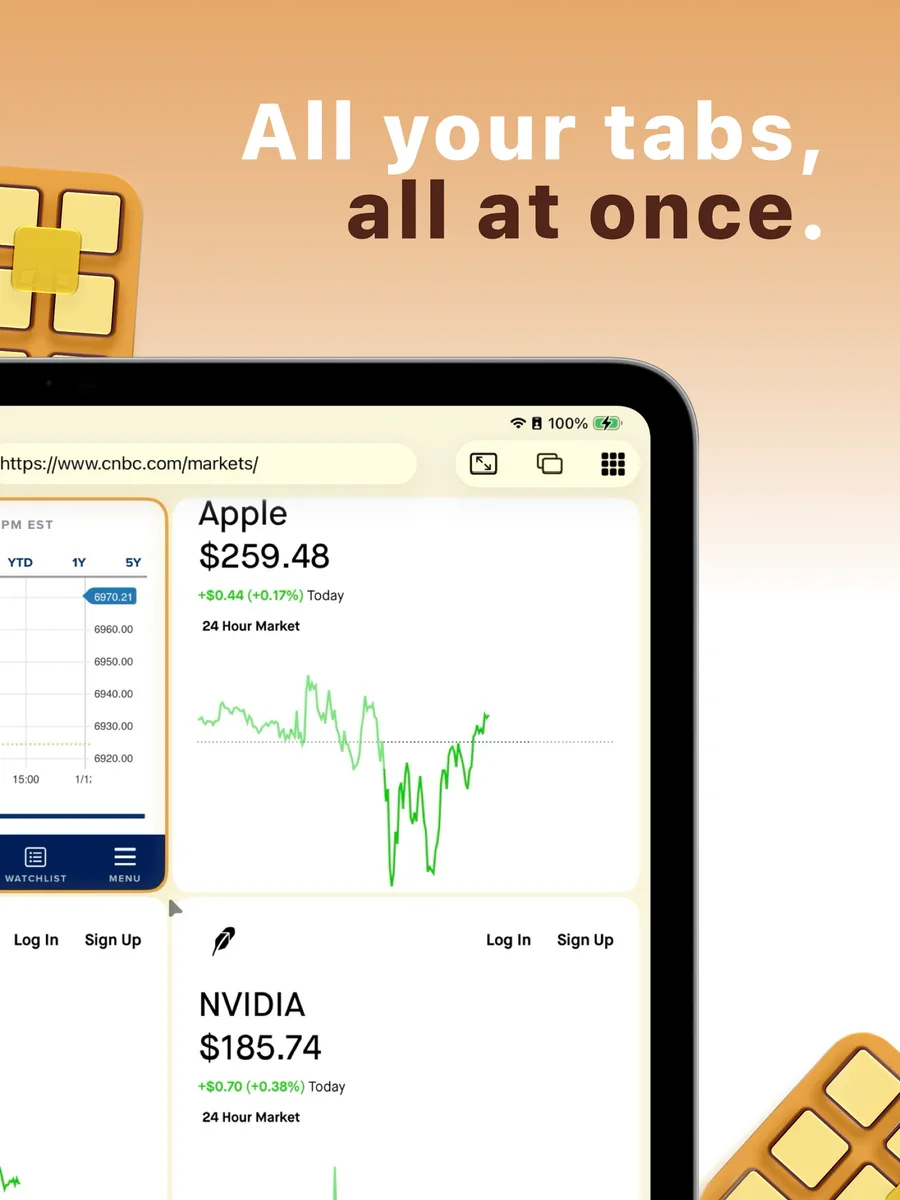
Set up a grid, refresh cells on a timer, and save and share presets.
About Waffle
Tabs make you choose. Waffle doesn’t. Put websites next to each other and keep your mail, news, dashboards, and video in view at the same time. No clutter. No app switching. Just a smarter workspace.
Every cell in the grid is a full browser. Tap a cell to select it — the address bar, back, forward, and reload all control that cell. Tap the address bar and it takes over the toolbar with the full address selected and ready to replace, so you can type a URL or search right away. Resize your grid with a tap: add or remove rows and columns anytime.
Two live pages at once, stacked or side by side. Drag the divider to give one page more room, or double-tap it to even things out. Maximize a pane when it’s time to focus, and save a layout to bring both pages back with one tap. On iPhone Duo, unfold for up to four panes that stay clear of the fold, and half-fold for Desk Mode (both with Syrup).
A clean, native iPadOS interface with full hardware keyboard support, drag-and-drop bookmarks from the sidebar onto any cell, Handoff to your other devices, and Siri, Shortcuts, and Spotlight integration so presets and bookmarks open from anywhere. Bookmarks and presets sync across your devices with iCloud.
Students juggling research, notes, and lectures. Traders and analysts watching live data. Streamers tracking chat, feeds, and tools. Sports fans following every game at once. Anyone who wants a tidy, efficient workspace.
Waffle is free to use: a grid up to 2×2 on iPad, and two pages with one saved layout on iPhone. A one-time Syrup purchase — no subscription — unlocks the rest. On iPad: grids up to 4×4, rearranging, pop-out windows, fullscreen focus, and saved Presets. On iPhone: unlimited saved layouts. On iPhone Duo: a third and fourth pane on the unfolded display, plus Desk Mode. One purchase covers iPhone and iPad, and Family Sharing is included.
Waffle is free to download for iPhone and iPad running iOS or iPadOS 26 or later, and is available in English, Spanish, French (Canada), and Japanese. Syrup is a one-time purchase with Family Sharing — no subscription.
Two live pages at once, stacked or side by side, with a divider you can drag. Save a layout and reopen it with one tap.
On iPad, add or remove rows and columns with a tap to build the perfect grid for your workflow — up to 4×4 live webpages on screen at once.
Drag cells into a new order or tap two cells to swap them, without reloading a thing.
Detach any grid cell into its own window using iPadOS multi-window, then pop it right back into the grid when you’re done.
Bring any site front and center with a tap, then drop it back into the grid when you’re ready to multitask again.
Save an entire grid — size and every page in it — as a Preset and bring it back in one tap. A morning news grid, a work grid, a game-day grid. Share any preset as a link that opens it on your other devices, with the page addresses listed for anyone else.
Keep live data current without lifting a finger: set any cell to reload every 30 seconds, 1, 5, or 15 minutes, or leave it off. Included free.
Bookmarks, Presets, and saved layouts sync across your iPhone and iPad with iCloud, so your favorite setups are always right where you left them.
Download now from the App Store. Free, Syrup $4.99 one-time.
 MaestroTurn any song into a Tesla light show, choreographed on your iPhone, iPad, or Mac.
 OpalitePick, organize, check, and export colors on every Apple device you own.
 SetDeckPlan the training week, log every set, and watch the numbers climb.
 MygraLog migraines in seconds and let on-device intelligence find the patterns.
 StorkTrack the deliveries you perform, visualize trends, and celebrate every birth.